18. Channels
TAM and TAMD offer three channel type configurations: channel, bus, and master. To ensure optimal performance of the plugins, it's important to assign the correct type to your instances of TAM or TAMD as you add it to your tracks.
Beginning with individual tracks, you will want to load an instance of YSFX as the first insert on each track. Then, load the JSFX file for TAM or TAMD. By default, it will look like the following:
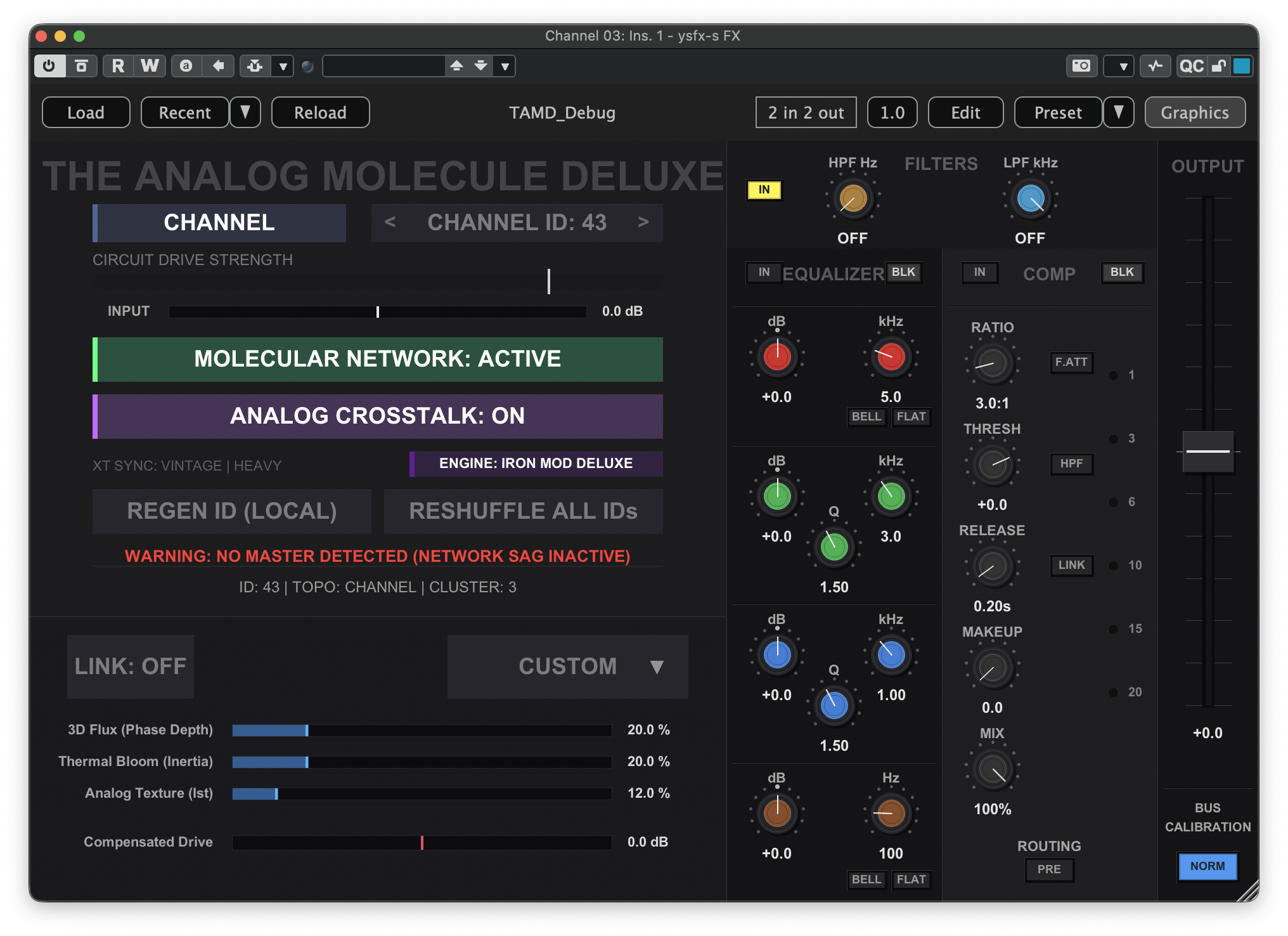
In general, this is all you will need to do for each individual track to get started. However, pay close attention to the information callout below the RESHUFFLE ALL IDs button. As you add more instances of YSFX to your project, the shared channel ID logic will constantly monitor for any duplicate IDs within the network. If it detects a duplicate, a warning message will be displayed. This can be fixed by clicking the RESHUFFLE ALL IDs button once or twice, at which point the message should disappear. Under the hood, this will reassign the channel ID value for all instances of TAM or TAMD within your project.
Repeat this process for all individual tracks in your project, and each time you add a new track to your project.