23. Bitwig
23.1 Session Overview
Below is an example session in Bitwig Studio 6.0.6 containing 4 stem busses of 3 individual tracks each, all connected together using the Wrapper and Router method. In the example, I am using Metaplugin as a wrapper and Blue Cat's Connector as a router. To demonstrate the routing, I have added Test Tone instances before YSFX on all individual tracks to act as an input signal to pass through TAM or TAMD and THS. When fully configured, the session appears as follows in Bitwig's Mix view:
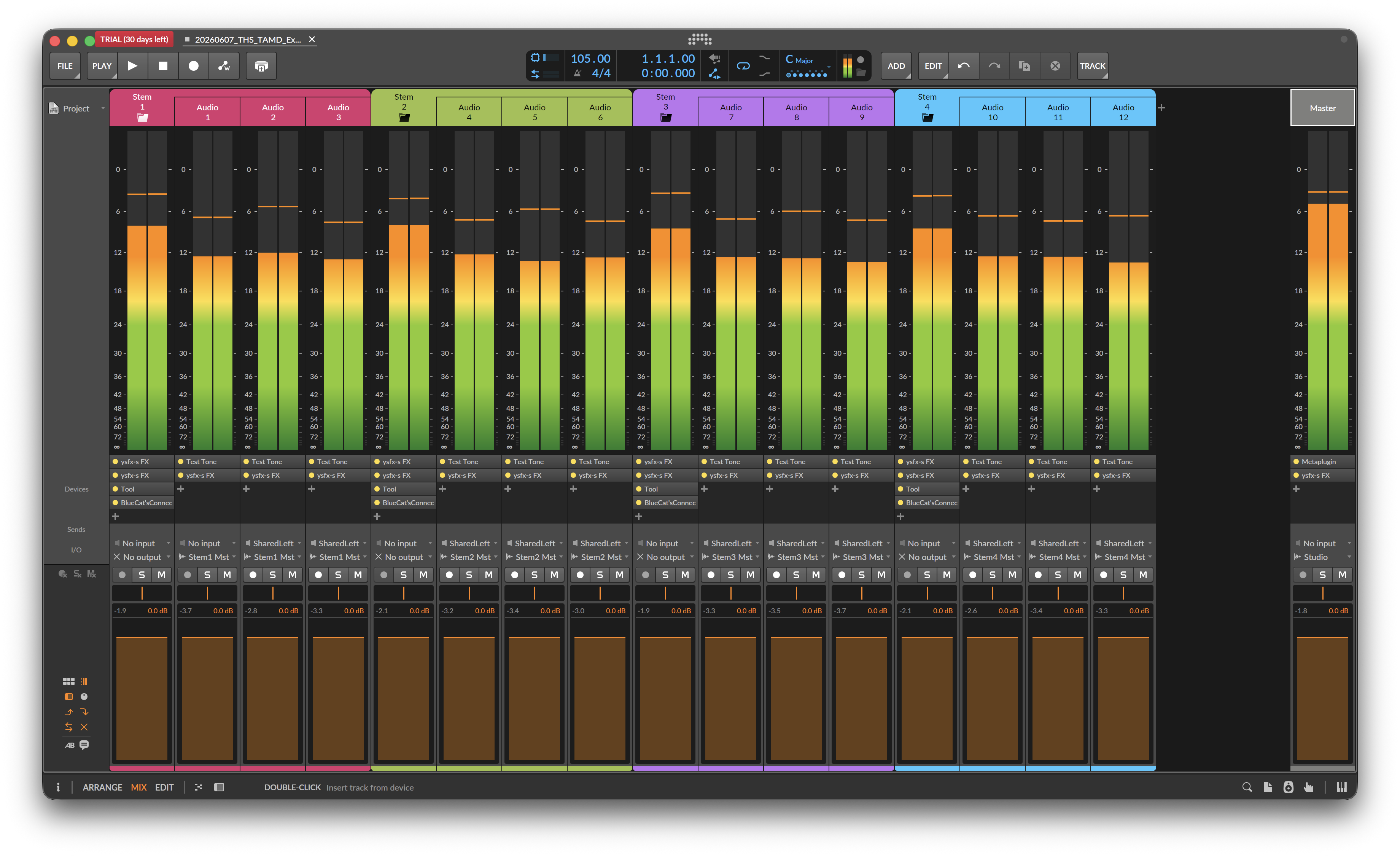
Note that this is a barebones session meant to illustrate the base connectivity needed to operate THS and TAM or TAMD in a Bitwig project.
23.2 Tool on Stem Busses
To emulate post-fader effects on the stem busses, I added an instance of Tool just before the Connector instances:
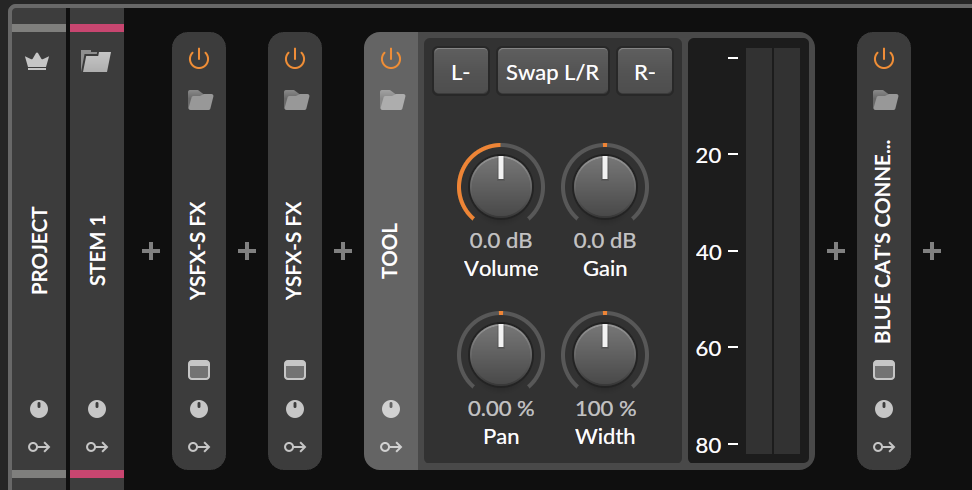
This provides a level meter and the ability to set the level of the stem bus before it enters Connector. This is completely optional but could be a handy way of achieving more of a post-fader effect setup.